Home / How it works
How a review round works with Pautio
Open a round, send a magic link, receive comments pinned to each element and close the round.
1
Open a round
In wp-admin you create the round: a name and a deadline. The site starts showing the comment bar only to your team and your guests.
2
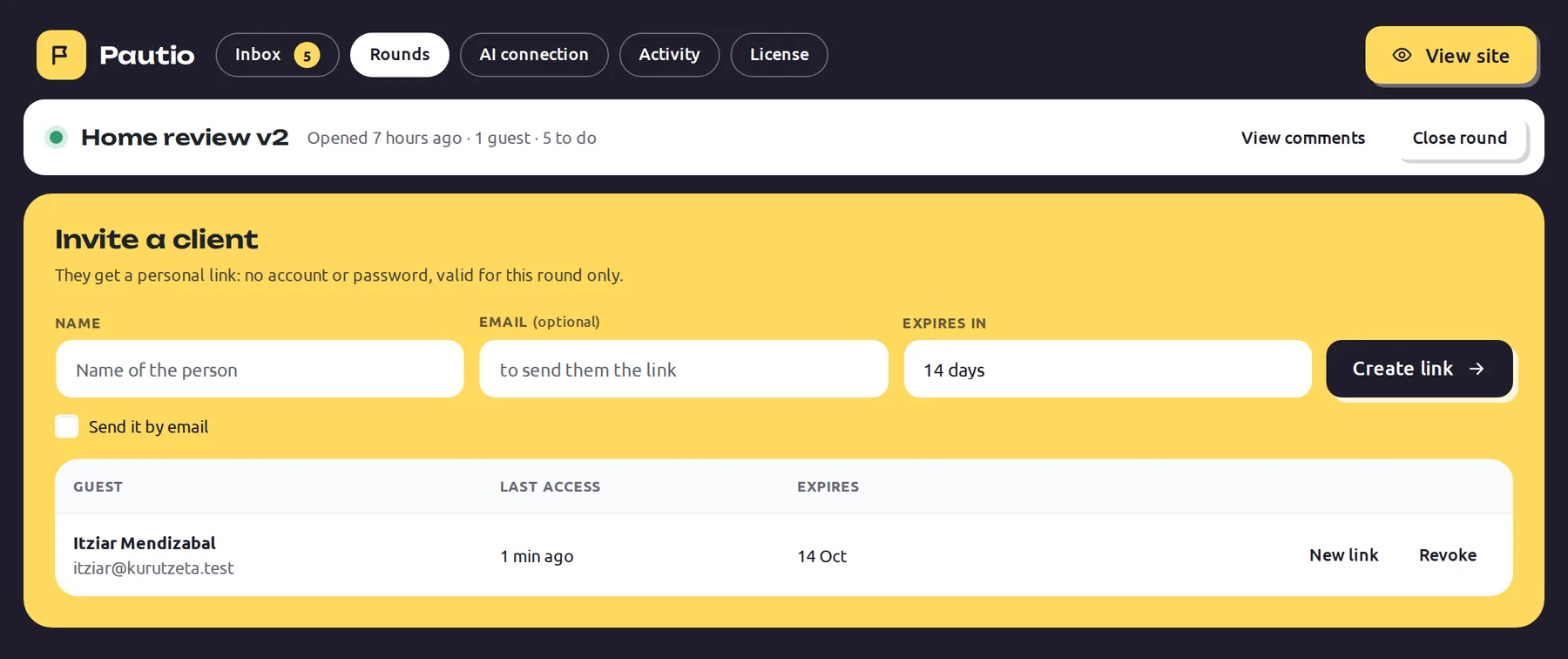
Invite your client
You send a magic link by email. The client joins with no account and no extension, clicks what they want changed and writes. It works on mobile, tablet and desktop.
Renovations and made-to-measure furniture for flats in Casco Viejo and Abando.
Request a quote3
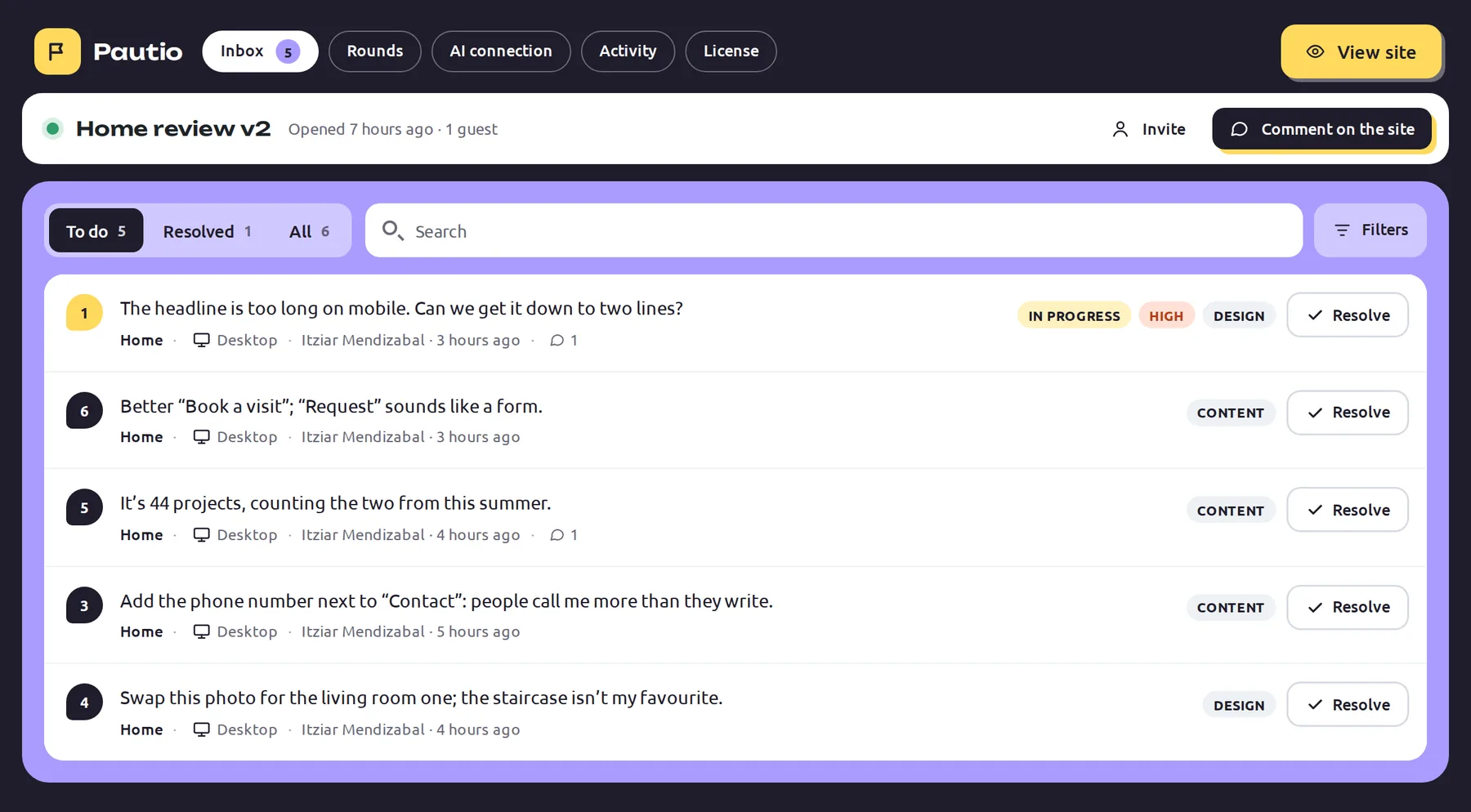
Get an organized inbox
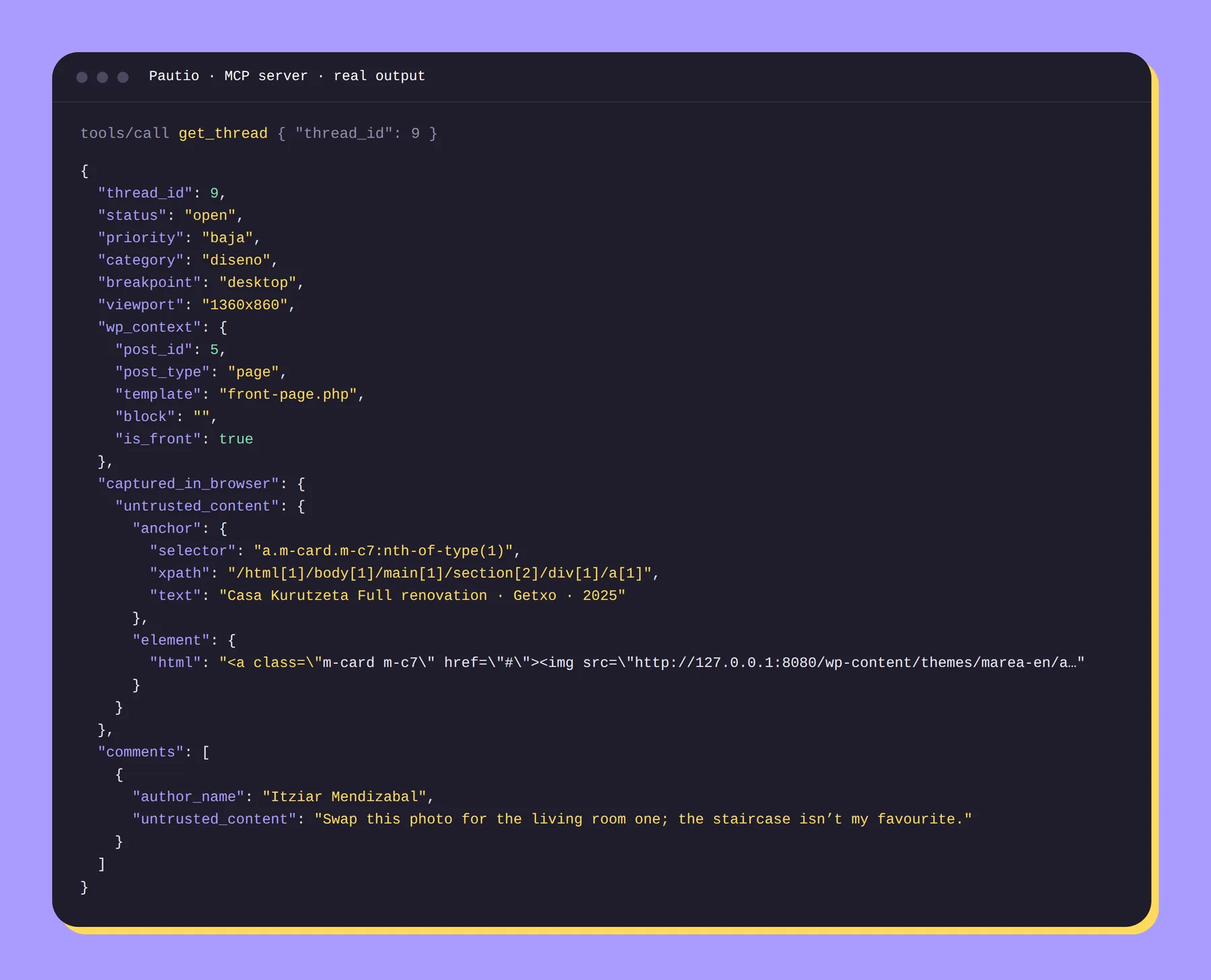
Each comment brings the page, the element, the browser, the screen size and the status. You reply, assign, resolve and merge duplicates.
4
Close and export
Closing the round records it. You can export it as JSON. If you use AI, have it read the summary and leave you the changes ordered by page.