Home / Features
What Pautio does and what it doesn't
Pautio replaces the “email + screenshot + which page do you mean?” cycle with comments pinned to the element, grouped into rounds and managed from WordPress. This page lists every feature with what it does and what it doesn't.
Visual comments on any element of the page
The reviewer clicks a heading, a button, an image or a block and writes. Pautio stores the CSS selector, the XPath, the element's text and, for an Elementor widget, its ID. When the page is reopened, it tries those clues in order until it finds the element.
If it only finds it approximately, it flags it as “approximate position”. If the element no longer exists, the comment appears as “Unplaced”.
Place 100% of the comments after a page has been rebuilt from scratch. What it does is make sure they aren't lost, and tell you which ones ended up unplaced.
Renovations and made-to-measure furniture for flats in Casco Viejo and Abando.
Request a quoteReview rounds with a deadline
Each batch of changes is a round with a name and a deadline. Only one round is active at a time. You can close it, reopen it and export it as JSON. While no round is open, the site loads nothing from Pautio. Every opening, closing and reopening is recorded in the audit log.
- RoundFirst review
- DeadlineOct 12
- StatusOpen
- Comments12 (9 open · 3 resolved)
- ExportJSON
Illustrative mockup.
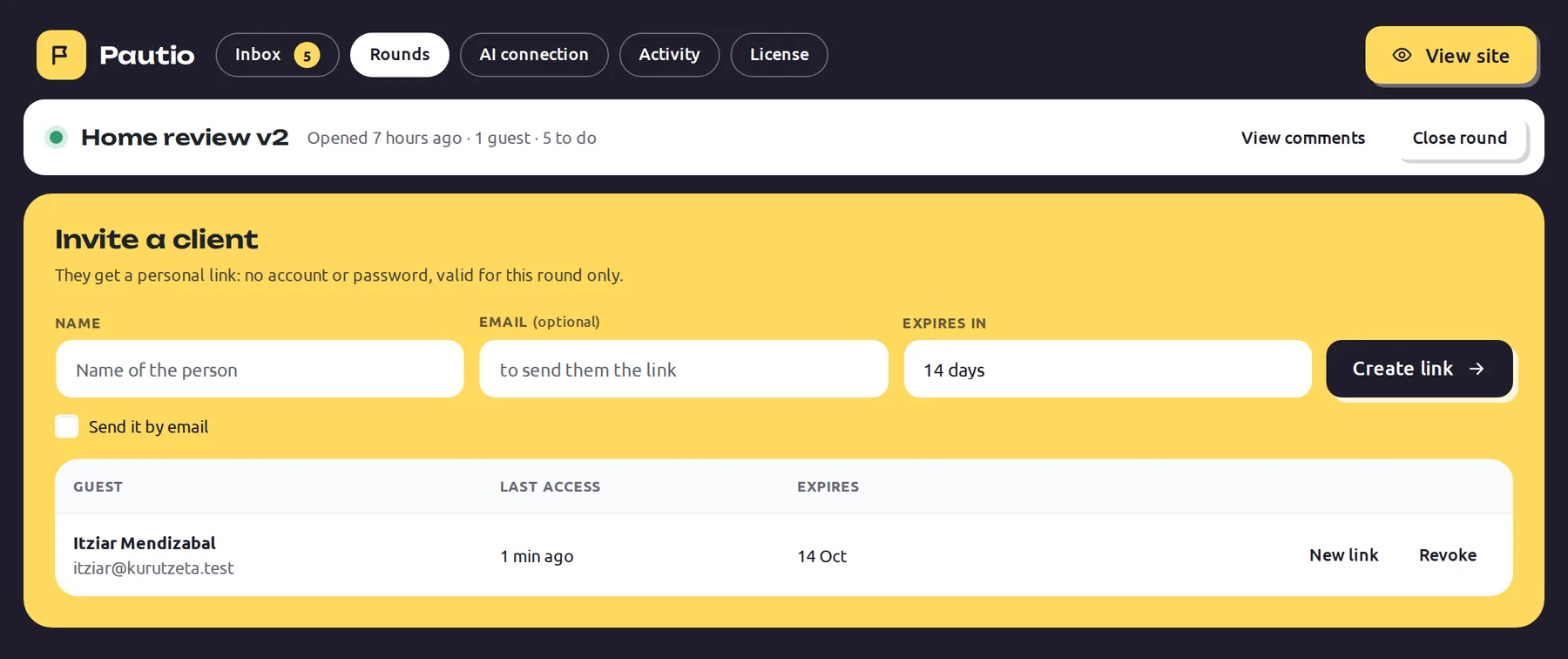
Your client joins with a link: no account, no extension
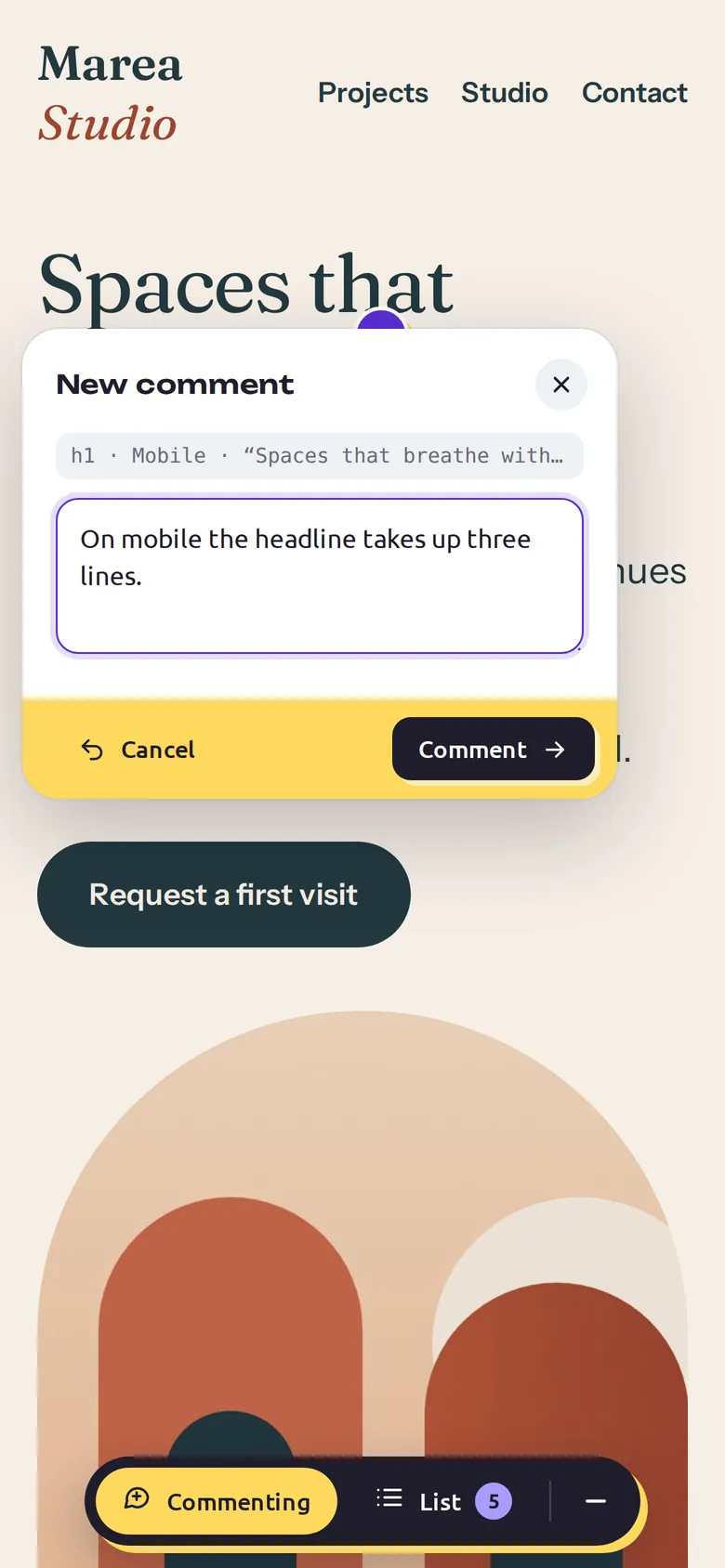
You invite them by email and the client comments from their browser, on mobile too. You can regenerate or revoke a link at any time. Guests don't need a WordPress user and can't see the admin panel. Rate limiting keeps spam out.
All the comments in one inbox inside WordPress
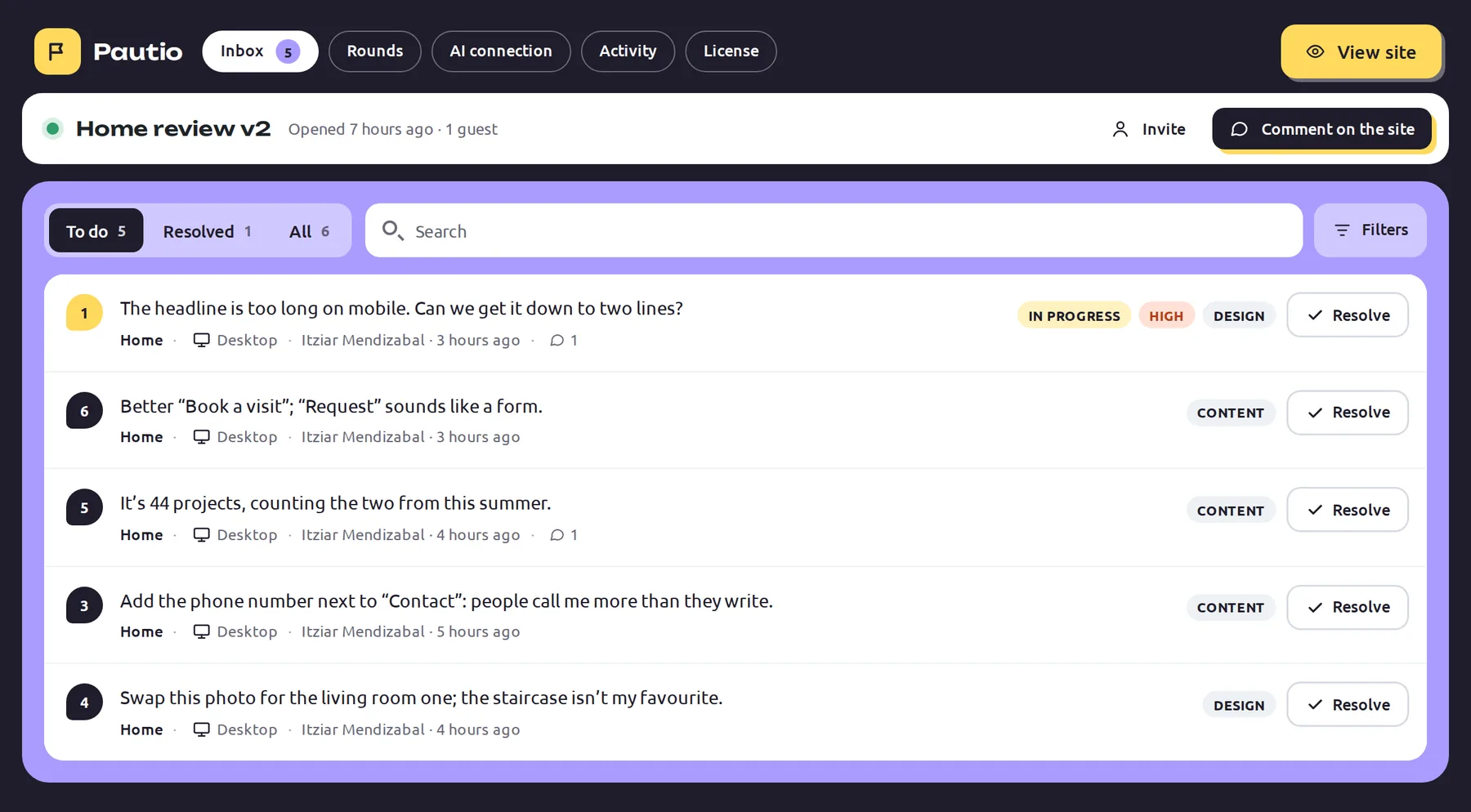
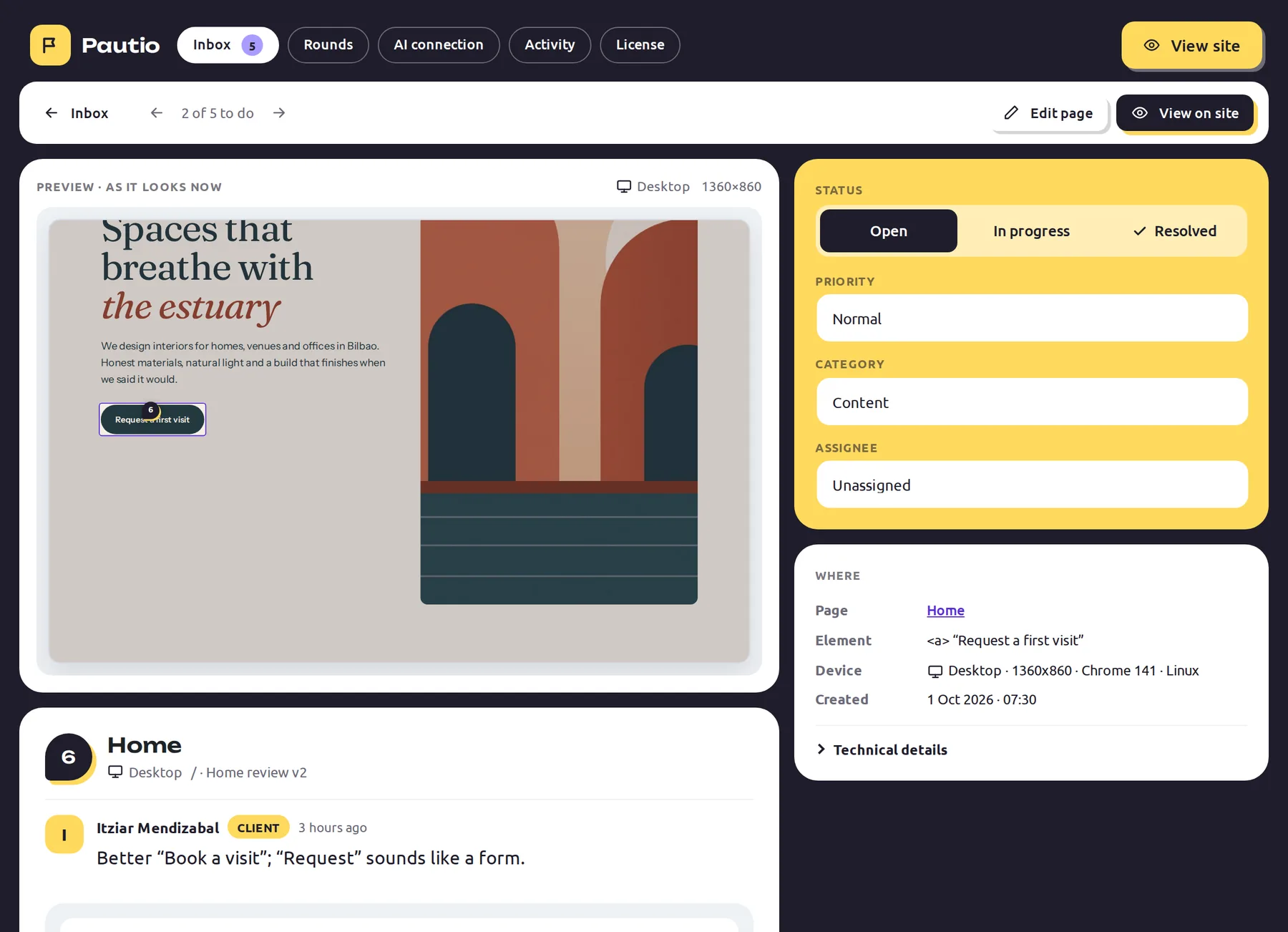
Filter by round, page and status. Each thread has a status (open, in progress, resolved), a priority, a category and an owner. You can reply to the client, merge duplicates and see a live preview of the page with the comment in place. Every change goes into the audit log.
Every comment carries its technical context
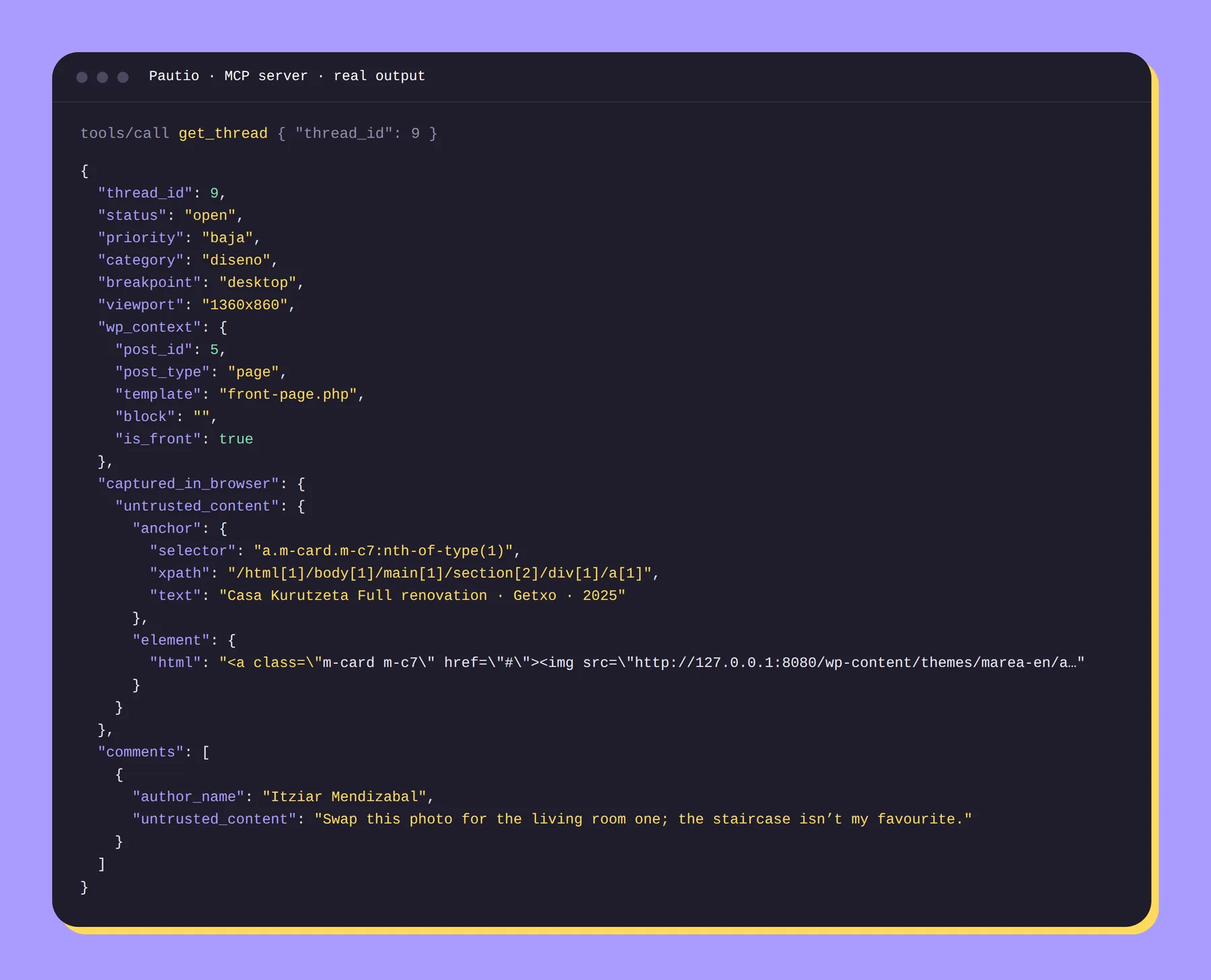
Each thread includes the browser, the screen size, the breakpoint (mobile, tablet or desktop), console errors, the HTML and styles of the selected element and WordPress data: content type, template and block. In Elementor, also the widget type and whether it's in the header, footer or a popup.
An MCP server included in every plan
An MCP-compatible AI can list rounds and comments, read a full thread, locate the related content in WordPress, pull an aggregate summary of the round, change status, priority, category or owner, flag duplicates and reply to the client. AI replies are marked as such. The text clients write is delivered labeled as untrusted content. The AI uses its own limited credential, which you can revoke.
It doesn't modify pages or plugins. Your AI does that with its own WordPress tools.
Your brand on the widget and the emails (Agency and Plus)
Change the name, upload a logo (https URL) and hide the “Powered by Pautio” badge. The footer of invitation emails uses your brand. On plans without white label, the widget panel shows “Powered by Pautio”.
Illustrative white-label mockup: the “Powered by Pautio” badge is hidden.
Alerts to Slack or your own system (Plus)
Sends events (new comment, new thread, round opened, reopened or closed) to an https URL, as JSON signed with HMAC SHA-256 or in Slack format. Events don't include guests' emails or browser data. Delivery doesn't block page loading.
# Illustrative: the exact fields are documented in the Docs
POST https://hooks.example.com/pautio
X-Pautio-Signature: sha256=<HMAC of the body>

{ "event": "comment.create", … }
Events: thread.create, comment.create, round.create, round.reopen, round.close.
A widget you won't notice
- It only loads when a round is open, and for your team or guests with a link.
- Compatible with page caching and CDNs: the decision is made in the browser.
- Shadow DOM: isolated from your theme's styles. No jQuery.
- It doesn't load inside the Elementor editor, the Customizer, Bricks, Divi or Beaver Builder.
- A personal switch in the admin bar to hide the widget just for you without closing the round.
- No round openLoads nothing
- Regular visitorDoesn't download the widget
- Guest with a linkLoads the widget
- Elementor editorDoesn't load
- jQueryNot used
Behavior verified in version 0.4.2.
Your data, your WordPress
Comments live in dedicated tables in your database. Uninstalling the plugin removes tables, options and credentials. The only external call is license validation, and it doesn't happen if no license is entered. With an expired license everything keeps working; you just stop receiving updates and support.
- Where comments liveYour database
- External callsLicense only
- No license keyNo calls at all
- Expired licenseKeeps working
- On uninstallEverything is deleted
What each plan includes
| Feature | Freelance | Agency | Plus |
|---|---|---|---|
| Comments pinned to elements | Yes | Yes | Yes |
| Guests with a magic link | Unlimited | Unlimited | Unlimited |
| Review rounds open at once | 3 | Unlimited | Unlimited |
| wp-admin inbox and JSON export | Yes | Yes | Yes |
| MCP server | Yes | Yes | Yes |
| White label (widget and emails) | No | Yes | Yes |
| Signed webhooks and Slack | No | No | Yes |